PRODUCT INFO
Select a section
OVERVIEW
Disconnect Internal
Rust · Features and configuration options
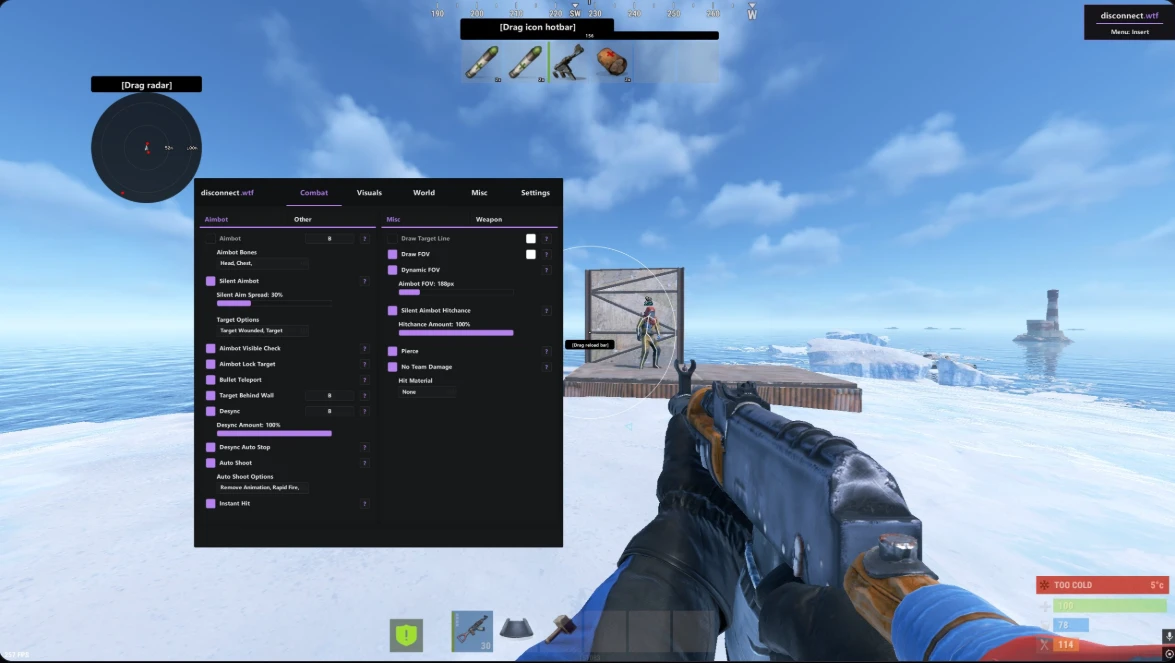
Combat · Aimbot
- Aimbot
- Aimbot Bones — Head, Chest, Stomach, Pelvis
- Aimbot Smoothing — adjustable amount
- Silent Aimbot — adjustable spread
- Target Options — Wounded, Scientists, Sleepers, Team, Safezone
- Aimbot Visible Check
- Aimbot Lock Target
- Bullet Teleport
- Target Behind Wall
- Desync — adjustable amount
- Desync Auto Stop
- Auto Shoot
- Auto Shoot Options — Silent, Remove Animation, Rapid Fire, Normal Fire Speed
- Instant Hit
Combat · Misc
- Draw Target Line
- Draw FOV
- Dynamic FOV — adjustable Aimbot FOV
- Silent Aimbot Hitchance — adjustable amount
- Pierce
- No Team Damage
- Hit Material — None, Glass, Dirt, Wood, Flesh, Snow
Combat · Weapon
- Recoil Modifier — Recoil X and Y
- Spread Modifier — Bullet Spread
- Force Automatic
- Thick Bullet — adjustable thickness
- Instant Bow
- Instant Eoka
- Legit Instant Eoka — adjustable success rate
- Auto Reload
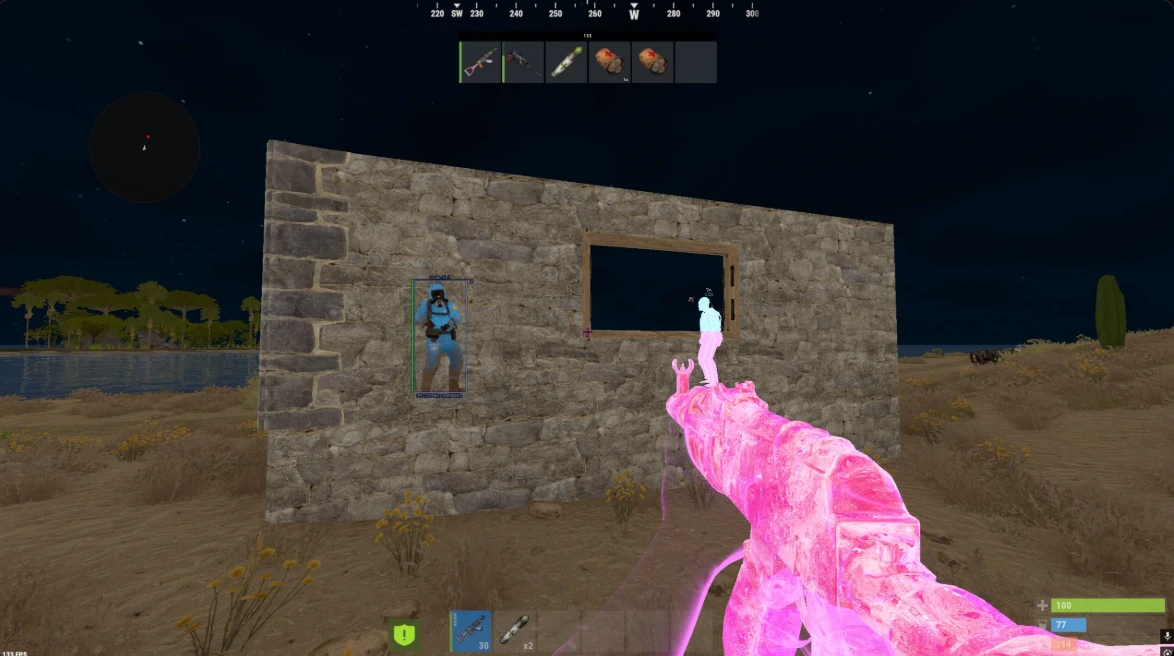
Visuals · Players
- Player ESP Enabled
- ESP Filter
- Name — Top, Bottom
- Distance — Top, Bottom, Right Side, In-Name, Left Side
- Held Item — Top, Bottom
- Skeleton
- Box — Full Box, Corner Box
- Team ID — Right Side, Bottom, Top, Left Side
- Player Flags
- Player Flag Options — Wounded, In Base, Safezone, Mounted, Parented
- Show Steam Profile Picture
- Player Chams (11 options)
- Team Cham Color
- Player Max Distance
Visuals · NPC
- NPC ESP Enabled
- Name — Top, Bottom
- Distance — Top, Bottom, Right Side, In-Name, Left Side
- Held Item — Top, Bottom
- Box — Full Box, Corner Box
- Healthbar
- NPC Chams (11 options)
- NPC Maximum Distance
Visuals · Other
- Hand Chams (11 options) — See-Through Intensity
- Held Item Chams (11 options)
- Show Dormant Players — Dormant Player Timeout
- Show Dormant Player Bullets — Dormant Timeout
- OOF Arrows
- OOF Arrow Options — Breathing, Static Color
- Icon Hotbar
- Icon Hotbar Options — Show Name, Show Durability, Show Item Amount
- Crosshair — Dot, CSGO, Plus, Cross
- Crosshair Size
- Crosshair Options
Visuals · Misc
- Bullet Tracers — adjustable lifetime
- Radar
- Radar Distance Visualizer
- Radar Player Size
- Radar Size
- Radar Auto Scale
- Radar Render Distance
- Radar Transparency
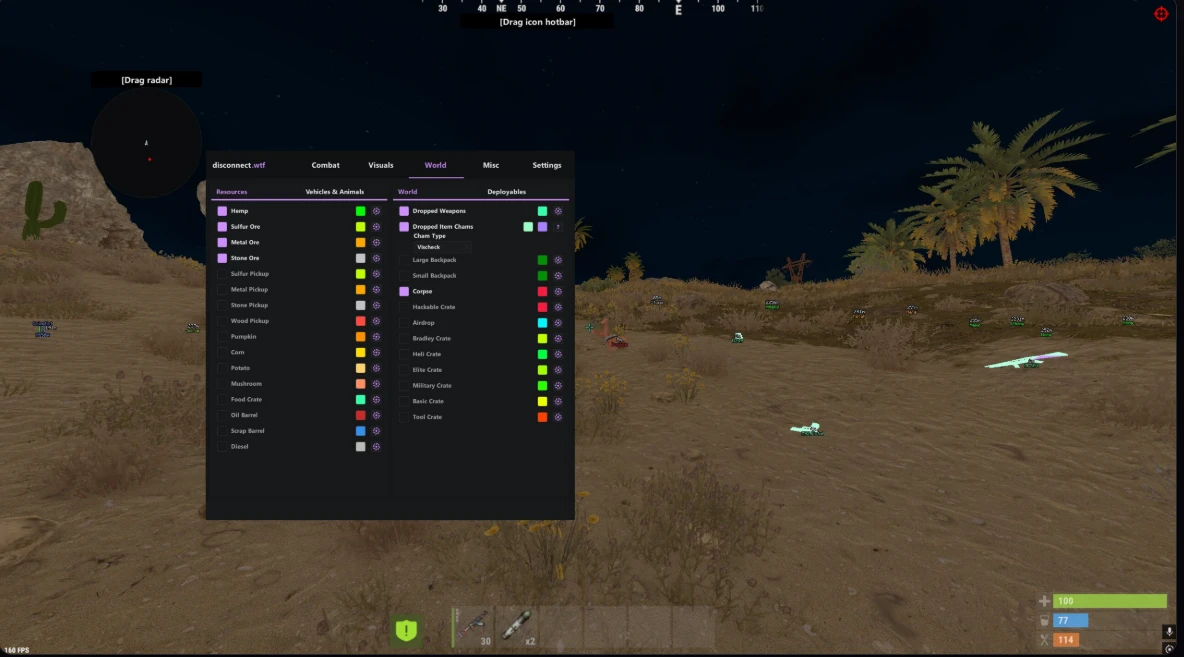
World · Resources
- Hemp
- Sulfur Ore
- Metal Ore
- Stone Ore
- Sulfur Pickup
- Metal Pickup
- Stone Pickup
- Wood Pickup
- Pumpkin
- Corn
- Potato
- Mushroom
- Food Crate
- Oil Barrel
- Scrap Barrel
- Diesel
World · Vehicles & Animals
- Patrol Helicopter
- Bradley
- Minicopter
- Scrap Helicopter
- Attack Helicopter
- Rowboat
- RHIB
- Motor Bike
- Pedal Bike
- Horse
- Bear
- Wolf
- Boar
- Crocodile
- Panther
- Snake
- Tiger
- Shark
World · Items & Loot
- Dropped Weapons
- Dropped Item Chams (11 options)
- Large Backpack
- Small Backpack
- Corpse
- Hackable Crate
- Airdrop
- Bradley Crate
- Heli Crate
- Elite Crate
- Military Crate
- Basic Crate
- Tool Crate
World · Deployables
- Shotgun Trap
- Auto Turret
- SAM Site
- Landmine
- Tool Cupboard
- Workbench Tier 1
- Workbench Tier 2
- Workbench Tier 3
World · Display Controls
For all World features.
- Show Distance
- Maximum Distance
Misc · Main
- Remove Layers
- Zoom — Zoom FOV
- FOV Changer — Player FOV
- Time Changer — Time of Day
- Bright Night
- Bright Night Keybind
- Instant Loot
- Add/Remove Friend
- Add/Remove Enemy
- Enemy In Render Alert
- Instant Revive
- Auto Revive Teammates
- Auto Pickup Collectable
- Auto Pickup Options — Hemp, Mushroom, Pumpkin, Corn, Potato, Wood, Stone, Metal, Sulfur
Misc · Movement & Utility
- Omni Sprint
- Shoot While Jumping
- No Fall Damage
- Flyhack — Normal, Slow and Fast speed controls
- Infinite Jump
- No Player Collision
- Silent Walk/OnLadder
- Silent Walk Keybind
- Spam Break Legs
- Debug Camera
- Debug Camera While Dead
- Bag Steam ID
- Copy Steam ID
- Copy Steam ID Options — Copy Steam ID, Copy Steam Link
Settings · Main
- Menu Color
- Menu Keybind
- Menu Language — English, 中文语言
- Watermark
Settings · Configurations
- Current Config — Legit, Rage, Other
- Load Config
- Save Config
Settings · Indicators
- Reload Indicator
- Center Indicators
FAQ
Questions before you order?
Browse our products and choose the option that fits what you need.
Select a product, choose your payment method, and complete checkout through SellAuth.
Transactions are processed through SellAuth's secure checkout.
Delivery details are provided after a successful purchase.
Join our Discord and our support team will help you as soon as possible.
Refunds follow the store's stated refund policy.
Make it yours
Choose your option
Check the details, then select the option that fits.
each
In Stock
In Stock
Out of Stock
OFFICIAL DTP SUPPORT
Issues with your order?
Get help with setup, access, or your purchase through the official dtp Discord.
Get order help Keep your order reference handy.